Chapter 36 · Part 4
WABA Daily & Monthly Reports
For trends over time, these two reports summarise your WhatsApp activity — outbound and inbound volume, delivered and read rates, and charges — day by day, or across a whole month at a glance.
Daily Report
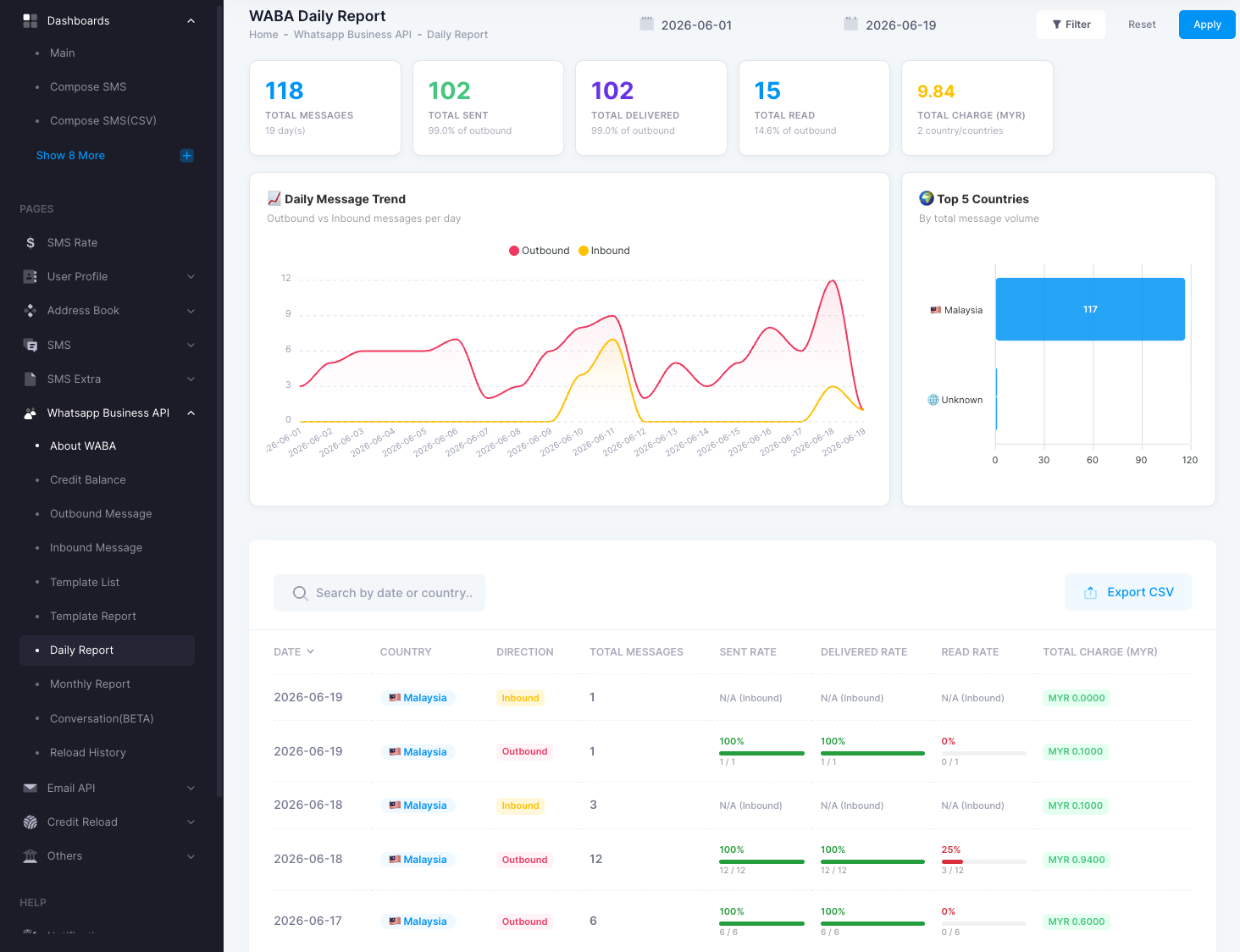
Under WhatsApp Business API → Daily Report. It charts outbound vs inbound messages per day, highlights your top countries, and lists each day’s rates and charge.
- TotalsTotal messages, sent, delivered, read, and charge for the range.
- Daily message trendOutbound vs inbound volume per day.
- Per-row detailDate, country, direction, sent / delivered / read rate, and charge.
Monthly Report
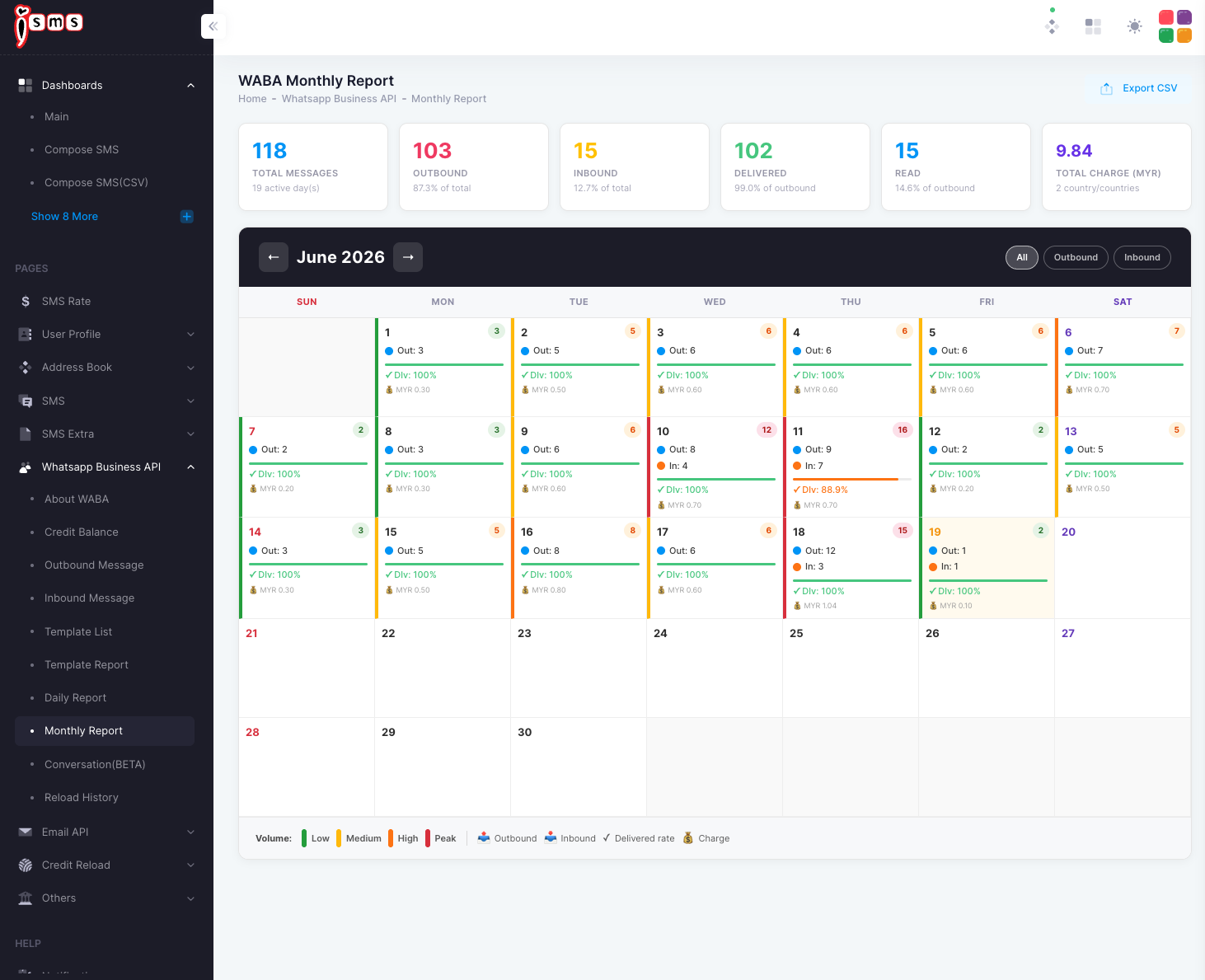
Under WhatsApp Business API → Monthly Report. It lays the month out as a calendar — each day shows outbound count, delivered rate, and charge. Filter by All, Outbound, or Inbound.
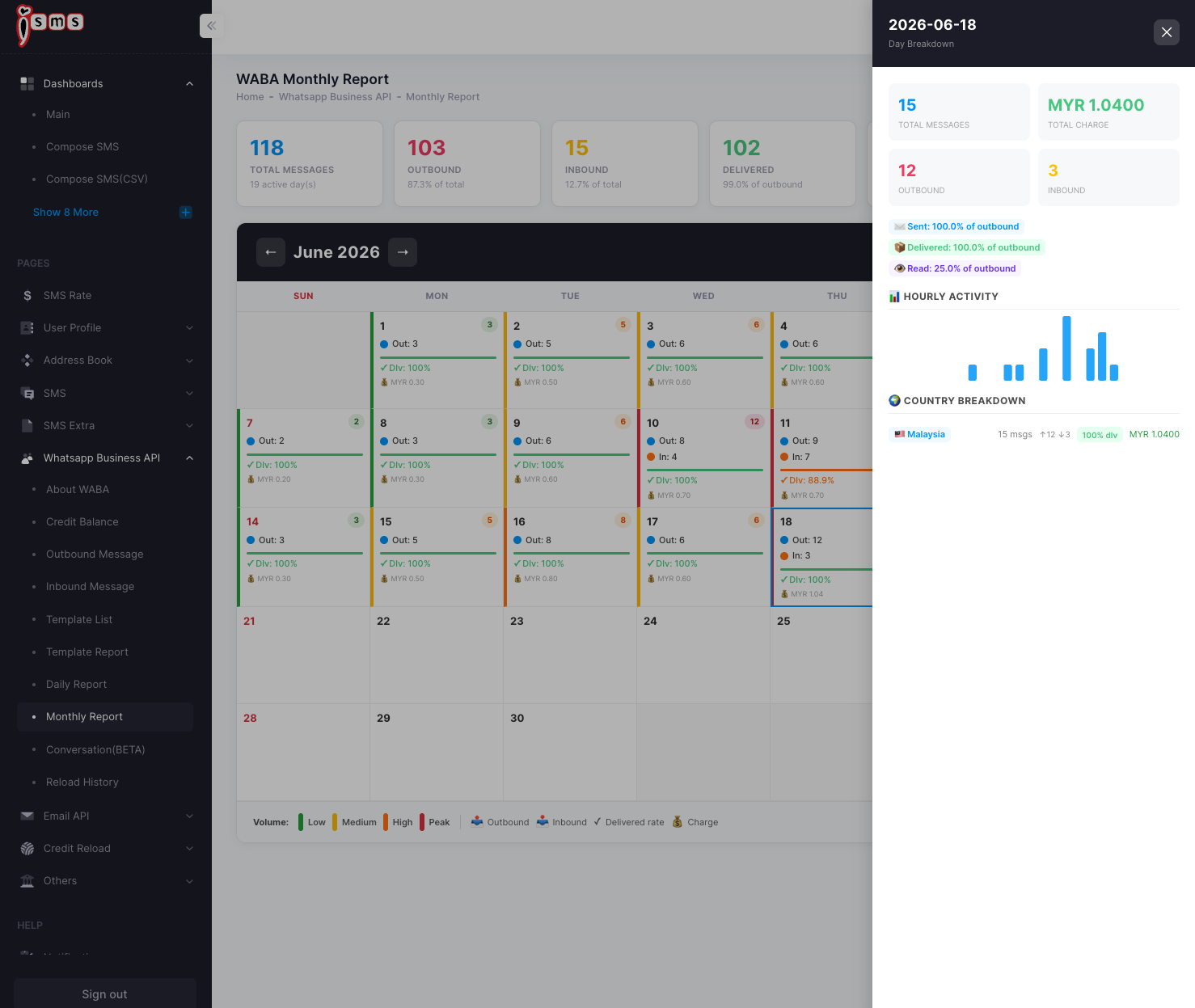
Click any day to open a side panel with that day’s full breakdown — total messages and charge, outbound/inbound split, sent / delivered / read percentages, hourly activity, and a country breakdown.
Data freshness: past days come from the overnight sync; today’s figures update live. Delivery and read statuses can take a little time to finalise, so the most recent day may still be settling. Both reports export to CSV.
Need help?
Our team is happy to assist with anything in this guide. Contact us →